
FPE Character Creator
SIN PHU DEVArt & Design
3.635.00 Reviews
- Version
- 1.2
- Installs
- 500.00K
- Age Rating
- Everyone
Screenshots
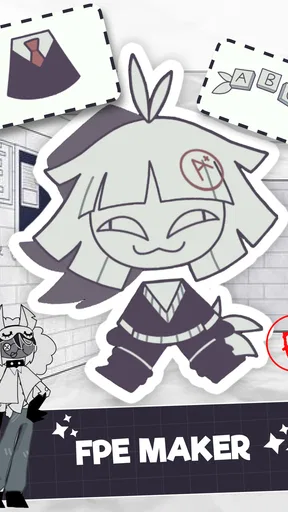
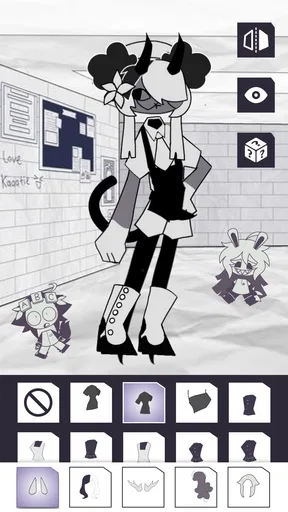
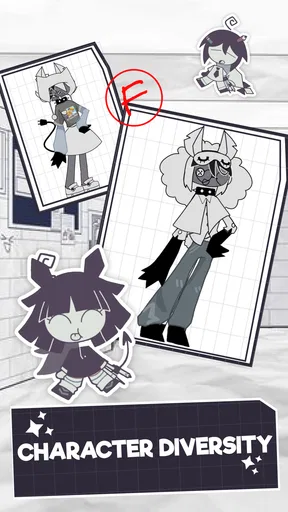
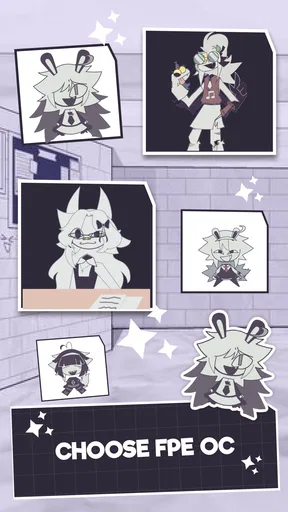
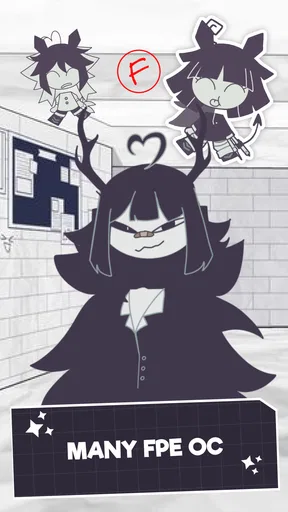
Our Review of FPE Character Creator
 Analysis by Appyee
Creating an original character sounds simple until the process becomes crowded with tiny controls, unclear menus, and too many choices at once. I spent time with FPE Character Creator to see whether it feels approachable for making student and teacher-style original characters, especially for people who may need a calmer, clearer creative workflow. My overall impression is mixed but useful: it is an easy-to-understand idea, it costs nothing to try, and it can be a pleasant starting point for casual character design, but it does not replace a full drawing app or a more flexible illustration tool.
The app sits in the Art & Design category and comes from SIN PHU DEV. It is aimed at users who want to assemble an FPE-inspired character rather than draw every detail from a blank canvas. That distinction matters. You are not opening a general-purpose painting studio with layers, brushes, and a large blank workspace. You are approaching character creation through a more guided format, which can reduce the pressure of having to invent an entire design from scratch.
It is free and suitable for Everyone, so the basic appeal is clear: a young user, a fan making a personal character, or someone testing visual ideas can begin without committing money. The app has passed the half-million-install mark, with an average score of 3.6 from roughly six hundred ratings and several dozen written reviews. Those figures suggest a real audience, but also a fairly even experience: many people find the concept useful, while others may run into limitations that prevent it from feeling polished enough for serious design work.
How the creator feels to use
I found the experience easiest to judge when I treated each session as a small design exercise rather than a search for a perfect finished character. The focused format keeps the attention on shaping a student or teacher concept, so I can make a few intentional choices and notice how they affect the character’s overall impression. That approach also makes it easier to spot whether the guided workflow suits the way I like to create.
Readability and navigation shape the first impression
The strongest part of a character creator is usually how quickly a new user understands what to do. Here, the focused theme helps. Instead of asking me to learn a broad art program, the app points my attention toward building a recognizable character in a particular style. That makes it more inviting than opening a blank canvas in a professional drawing application.
I found this kind of guided approach especially useful when I already had a rough idea but not enough confidence to draw it. Choosing a visual direction piece by piece can turn “I want to make a character” into smaller decisions: appearance, clothing, expression, and the overall impression of a student or teacher. Even when the result is not perfectly original, the process gives beginners a manageable way to experiment.
There is also a practical benefit for users who lose track of complex interfaces. A dedicated creator can be easier to understand than a general art app filled with panels, toolbars, layer controls, and technical settings. If your goal is a quick character concept rather than a finished illustration, fewer creative decisions can feel like a feature rather than a restriction.
At the same time, a simplified interface only works when labels and controls are immediately clear. Character creators can become frustrating when a user has to guess which control changes a visual element or when the order of choices does not match the way they think about a character. I would approach this app with patience during the first session and avoid expecting every option to be self-explanatory.
A useful habit is to build one deliberately simple character before attempting a detailed one. Start with a basic student or teacher concept, note which choices are easy to find, and only then explore more combinations. This reduces the mental load and makes it easier to tell whether a confusing result comes from the design itself or from a control you have not yet understood.
Why the guided format helps beginners
For a child or first-time creator, the biggest advantage is that the app provides a starting point. Drawing a full body, clothing, hairstyle, and facial expression from nothing requires coordination, visual planning, and some familiarity with art tools. A character creator lowers that entry barrier by letting the user concentrate on identity and style instead of technical drawing technique.
I can also see it working well in a shared setting. A parent might sit with a child and help turn a story idea into a character. A teacher could use it as a quick visual prompt during a creative activity, provided the app fits the surrounding lesson and the device is comfortable for the student. Friends can compare different character concepts without needing the same drawing skill.
One non-obvious strength is that the app can function as a planning tool even when the final artwork will be made elsewhere. I would use it to test the broad silhouette and role of a character first, then recreate the strongest idea in a drawing app with more control. That workflow is faster than repeatedly erasing a sketch because the original concept was not settled.
The trade-off is that the guided format may feel narrow to experienced artists. If you want unusual anatomy, precise costume construction, complex poses, or a personal brush style, a conventional illustration app is likely the better choice. This creator is most useful before the detailed art stage, not necessarily as the final destination for every project.
Motor considerations on a phone or tablet
Touch-based character creation can be comfortable for users who prefer tapping over drawing. Selecting an option does not demand the same steady hand as tracing a line or coloring inside a small shape. For someone with limited drawing confidence or difficulty controlling a stylus, assembling a design may be less tiring than producing it manually.
However, tapping is not automatically accessible. Small interface targets, closely spaced choices, or controls that require repeated gestures can still create difficulty. A user with reduced fine-motor control may find that a larger tablet is easier than a phone, simply because there is more room to see and select an option. I would also avoid rushing through the creator; deliberate taps are less frustrating than correcting several accidental selections.
Another practical tip is to use the app when the device is stable. Resting a phone on a table or using a tablet stand can reduce the effort of holding it while making selections. This is a small change, but it matters during a longer design session. It also helps users who experience hand fatigue or who prefer to work with both hands available.
The app is not the right fit for someone who needs extensive keyboard navigation, switch control, voice-driven creation, or a highly customized input setup unless their device already makes those interactions workable. I would not assume that a themed character creator offers the same range of input accommodations as a mature professional art package.
Sensory comfort depends on the session
Visual character creation can be appealing to users who communicate ideas more easily through images than through writing. A character’s clothing, expression, and role can provide a concrete way to describe personality or a story. That makes the app potentially useful for creative expression, even for someone who does not consider themselves an artist.
Still, visual choice-heavy interfaces can become tiring. Repeatedly scanning options, comparing small differences, and tracking changes may be difficult for users who are sensitive to visual clutter or who need frequent breaks. I would recommend working in short stages: decide the role first, then the broad appearance, then the finishing choices. Trying to perfect everything in one sitting can turn a relaxed activity into a concentration test.
Screen brightness and viewing distance also make a difference. I would lower brightness to a comfortable level, enlarge the device display where possible, and avoid using the app in a dark room with a bright screen. Those are general device adjustments rather than special app features, but they can make the experience more manageable for users who experience eye strain or headaches.
For users who prefer strong text contrast, large labels, or a very minimal visual presentation, the app should be judged in the context of the device’s own display settings. System-level text enlargement or display scaling may help, although enlarging the interface can sometimes cause content to fit differently. I would test one short creation before deciding whether the layout remains comfortable.
Situational access: where it works best
This is the kind of app I would use during a relaxed, low-pressure moment rather than while multitasking. A short break, a creative club, or a quiet evening is a better setting than a crowded commute where attention is divided. Character design involves comparison and revision, so interruptions can make the process feel more confusing than it needs to be.
It can also suit users who need a visual warm-up. Before writing a story, role-playing with friends, or planning a comic, I might create a rough character to clarify the person’s role. The result does not need to be final. In fact, treating it as a concept card rather than a finished artwork makes the app more useful and reduces disappointment about its boundaries.
A realistic everyday scenario would be a student who has a free period and wants to turn a classroom story idea into a recognizable character. The student can begin with a teacher or classmate concept, try a few visual directions, and show the result to friends. If the first design feels too generic, the student can use it as a reference for a later drawing instead of starting over with no plan.
Another scenario is collaborative storytelling at home. One person suggests the character’s personality, another chooses the visual direction, and a third writes a short scene. The app works best here as a conversation starter. It gives the group something visible to react to, which can be easier than discussing an abstract character that nobody has seen.
Because the app is free, it is also a low-risk option for families or classrooms that want to test a creative activity before investing in paid software. The Everyone age rating makes it broadly suitable from a content perspective, but adults should still consider the individual child’s reading ability, motor needs, and tolerance for screen-based choice making.
Where it falls short for more demanding users
The main limitation is the gap between assembling a character and fully authoring one. A creator can help establish a recognizable idea, but users who expect detailed drawing control, precise editing, or a professional illustration workflow may quickly feel boxed in. The app should not be evaluated as though it were competing directly with a complete digital art studio.
It is also a weak match for users who want to reproduce a character exactly across many scenes. A consistent visual reference can be useful, but a character creator is not the same as a full animation, comic, or asset-production system. If your project depends on exact poses, custom backgrounds, nuanced lighting, or carefully controlled proportions, you will probably need another tool after the initial concept stage.
People who dislike preset-driven design may also lose interest. The convenience of guided choices comes from limiting the number of decisions, and that same limitation can make the results feel familiar or repetitive. I would skip this app if your main goal is unrestricted experimentation with anatomy, perspective, painterly texture, or highly personal line work.
There is a further trade-off for users who need a polished final image for publication. A quick character concept may be perfectly adequate for a private story, profile idea, or casual exchange with friends, but a public-facing project usually benefits from additional editing. I would treat the output as a draft unless it already meets your standards without further work.
Making the most of version 1.2
The current version is 1.2, which places the app in an early stage of its development from a user’s perspective. I would keep expectations realistic and judge it primarily as a focused, lightweight character-making tool. Early versions can be enjoyable when the central idea works, but they may also feel less refined than long-established alternatives.
My preferred workflow is to decide the character’s purpose before opening the creator. Write down three simple points: whether the character is a student or teacher, one personality trait, and one visual detail that should stand out. Then build around those points rather than changing every option randomly. This produces a more coherent result and makes the app feel like a design aid instead of a slot machine of disconnected choices.
A second useful workflow is to create two contrasting versions of the same idea. For example, I might make one character look approachable and another look strict, while keeping the role similar. Comparing them reveals which visual decisions actually communicate personality. This is a better use of the app than endlessly searching for a supposedly perfect combination.
I would also save the character concept in words after finishing it. Note the role, mood, and key visual traits while they are fresh. If you later move the idea into a drawing app, those notes preserve the intention even if the final artwork changes. This turns a short session with the creator into a more durable part of a larger creative process.
How it compares with familiar alternatives
Compared with drawing from a blank canvas, this app is quicker for users who want a character idea without first learning brushes, layers, and digital sketching technique. Compared with a full illustration program, it is less flexible and less suitable for detailed finishing. Compared with a generic avatar maker, its student-and-teacher focus gives the creative exercise a clearer setting, which can help when the character belongs to a school-themed story.
The best alternative depends on the task. Choose a general drawing app when you need complete control over shape and texture. Choose a more advanced character workflow when you need repeatable assets for comics, animation, or a game. Choose this creator when you want a low-pressure starting point, a quick visual prompt, or a simple way to explore an FPE-style original character without drawing every component manually.
That comparison also explains the average rating of 3.6: the concept can satisfy casual users while leaving ambitious creators wanting more. I would not read the rating as a reason to dismiss it, but I would use it as a reminder to match the app to the right job. It is easier to appreciate when you expect a focused creator rather than a complete art suite.
Who should try it, and who should move on
I would recommend trying it if you are new to character design, enjoy school-themed original characters, or want a quick visual reference before writing or drawing. It is especially appealing when the goal is exploration rather than perfection. Since it is free, the cost barrier is low, and the broad age rating makes it a practical option for family-friendly creative sessions.
I would be more cautious for users who need highly detailed customization, advanced export and editing workflows, or strong control over accessibility settings. Artists with established digital habits may find a blank canvas more efficient. Users who struggle with small touch targets or visual scanning should test the interface briefly on their preferred device before committing to a long session.
My final view is that this is a friendly entry point with a clear purpose, not an all-in-one art solution. It can help turn a vague character idea into something visible, and that first step is genuinely valuable. Its limitations become obvious when you ask it to deliver professional-level precision or unlimited creative freedom.
For me, the deciding question is simple: do you want to draw every detail, or do you want help shaping the idea first? If you want the second option, SIN PHU DEV’s app is worth trying. Its best quality is the way it lowers the fear of starting, while its main weakness is that experienced creators may outgrow the guided format quickly.
Used with realistic expectations, it can support different creative abilities and situations without demanding traditional drawing skill. I would use it as a first draft, a storytelling prompt, or a shared activity, then move to a more powerful tool whenever the character needs custom artwork. That makes it a modest but useful addition to the Art & Design category rather than a replacement for the tools serious artists already rely on.
Verdict
Strengths of FPE Character Creator
- Offers detailed customization for creating unique FPE-inspired characters.
- Useful for fan art, story planning, roleplay, and creative projects.
- Simple interface makes character creation approachable for beginners.
- Lets users experiment with different visual styles and character details.
- Can provide inspiration when developing original character concepts.
Limitations of FPE Character Creator
- Some customization options may feel limited compared with full art software.
- Results depend heavily on the available presets and design elements.
- May not offer advanced drawing or precise editing tools.
- FPE-specific content could appeal mainly to a narrow fan audience.
- Created characters may require extra editing before sharing or publishing.
Similar Picks in This Category
View All
Canva: AI Photo & Video Editor
Canva4.8

PENUP – Drawing-sharing SNS
Samsung Electronics Co., Ltd.4.5

Crafto
Kutumb App4.6

Sketchbook
Sketchbook4.1

ibis Paint X
ibis inc.4.5

Adobe Express: AI Photo, Video
Adobe4.6
Frequently Asked Questions
What is FPE Character Creator, and what can I do with it?
FPE Character Creator is a character-designing tool focused on creating custom figures inspired by the FPE style. After exploring its editor, users can usually adjust visual details such as hairstyles, facial features, outfits, colors, and accessories, depending on the available options. It is mainly intended for creative experimentation, profile images, fan-style artwork, and sharing original character concepts.
Is FPE Character Creator available for Android and iOS devices?
Before downloading, check the official store listing for your device because availability can vary by region, operating-system version, and publisher. Android users should confirm the app is compatible with their phone or tablet, while iPhone and iPad users should review the required iOS or iPadOS version. Avoid unofficial download pages that may offer modified or unsafe versions.
Is FPE Character Creator free to download and use?
The application may be free to install, but some character elements, customization options, advertisements, or additional tools can depend on the current version and distribution platform. Review the store page carefully for in-app purchases, subscriptions, and advertising information before installing. If the app requests payment details, confirm exactly what is included and whether purchases are optional.
Can I save or share characters created with FPE Character Creator?
Saving and sharing capabilities depend on the version of the application and the permissions it requests. In a typical character creator, users can preview a design, save an image to the device, or share it through supported social and messaging apps. Check whether exports include watermarks, require an account, or need access to photos and storage before creating a large collection.
Is FPE Character Creator safe for children and does it require internet access?
Parents should review the app’s age rating, privacy policy, advertising practices, and user-generated content features before allowing children to use it. Character creation itself may work offline, but advertisements, updates, cloud saving, or sharing can require an internet connection. Also verify the permissions requested by the app and supervise external links or social-sharing features.
